Prepare Your Media Files for TV Broadcasting
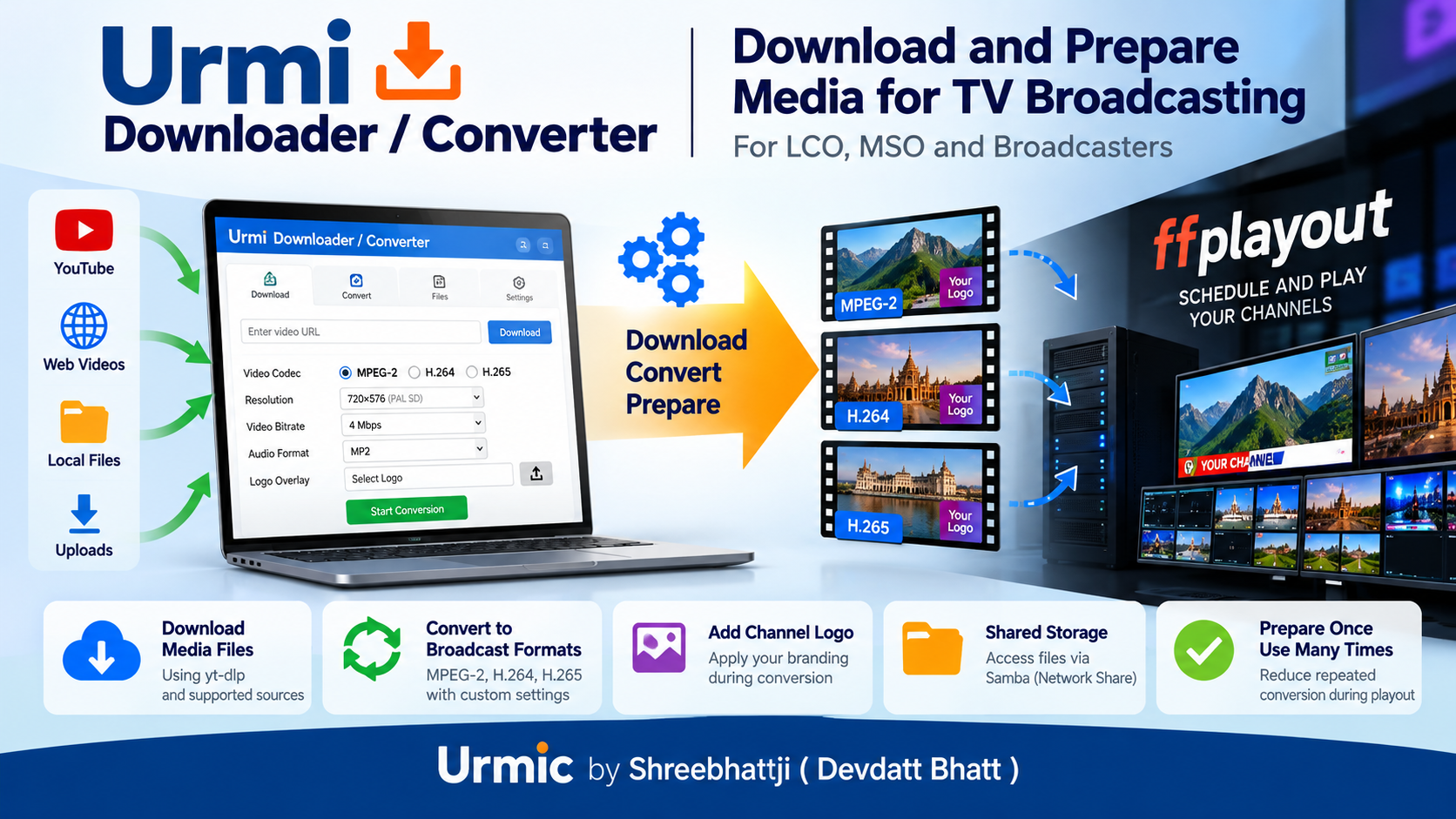
Urmi Downloader / Converter is a media downloading and conversion tool for TV broadcasting.
It helps LCOs, MSOs, and broadcasters prepare their licensed video files for use with ffplayout.
Download permitted media files, convert them to your required video format, and prepare them for scheduled broadcasting.
Instead of converting the same files repeatedly during playout, you can prepare compatible files in advance and reuse them.
Project Source Code: Urmi Downloader / Converter
Why Do You Need This Software?
TV channels need video files in formats that match their broadcasting systems. Different files may have different resolutions, video codecs, audio formats, and bitrates.
Converting files during broadcasting can require additional server resources.
Urmi Downloader / Converter helps you prepare your media files before broadcasting. You can choose your conversion settings and create files that match your planned playout configuration.
This can reduce repeated conversion work and help you use your broadcasting server more efficiently.
Features
- Download Media Files
- Access Files Through a Shared Folder
- Supported video encoding options
- MPEG-2
- H.264
- H.265
- Add Your Channel Logo
- Prepare Files Before Broadcasting
How Can It Help Reduce Operating Work?
Converting a video takes processing time and server resources.
When files are converted during playout, the system may need to perform additional processing while delivering the channel output.
Urmi Downloader / Converter allows you to perform media conversion in advance.
For example, you can convert a collection of licensed videos to a standard format before they are added to your playlist.
The prepared files can then be reused. When the files match the output requirements, ffplayout may not need to repeat the same conversion during playback.
This approach can help you organize your media library and manage server resources.
Actual performance depends on your server hardware, the conversion settings, the source files, and the ffplayout configuration.
What Do You Need?
To use Urmi Downloader / Converter with ffplayout, you need:
- A compatible server. The project installation instructions use Ubuntu Server 24.04.
- Storage space for downloaded and converted files.
- Sufficient processing power for your conversion workload.
- A network connection when downloading online media.
- Access to the media storage used by ffplayout.
- Permission to download and broadcast the media you use.
The storage requirement depends on the number of files, their duration, resolution, bitrate, and format.
Test the software with a small collection of files before preparing a large media library.
Should You Use It?
Choose Urmi Downloader / Converter if you want to prepare media files before broadcasting, standardize video formats, and reduce repeated conversion work.
It is especially relevant when your channel uses a collection of pre-recorded programmes, advertisements, promotional videos, or other licensed media.
If you need a system to schedule and play media continuously, use ffplayout as the playout component.
Together, the two applications can form part of a media preparation and broadcasting workflow.
Get Started
Urmi Downloader / Converter
Explore the source code and installation instructions:
Open Urmi Downloader / Converter on Urmic.org
ffplayout
Learn about the broadcasting and playout software:
Licence and Content Rights
Please read the applicable software licence before using or redistributing the software.
You are responsible for obtaining the necessary rights and permissions for the media files you download, convert, store, and broadcast.
Urmi Downloader / Converter does not grant permission to broadcast copyrighted content.